Ask for the Google review the moment they say "thanks."
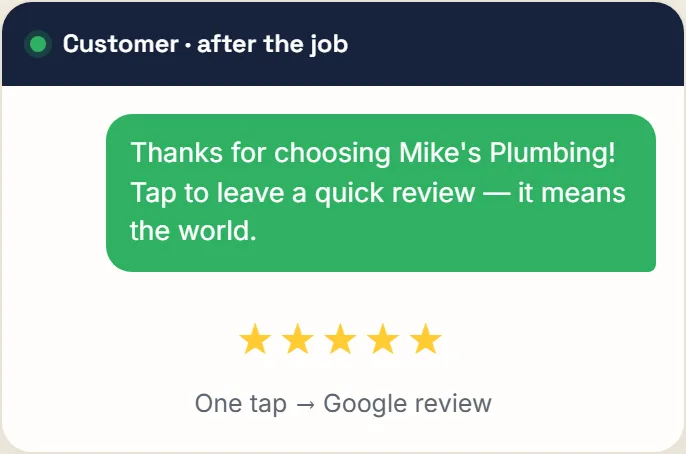
A printable QR card for your counter and a one-tap link for the text you send when the job's done. Every customer sees the same public Google review option, with an optional private contact link alongside it. No rating gate. $39/mo, month-to-month, no contract.
How the flow works
- 1We build your ask
You paste your Google review link once. We generate a printable QR card and a short link you can text.
- 2You put it in front of them
QR card by the register or in the van, link in the text you send when the work is done.
- 3One tap to Google
It opens your review page directly — no form, no login, no app. Every customer gets the same link.
- 4A separate private option
The same page offers a private note to the owner alongside the unchanged public Google review option.
Google says local results are mainly based on relevance, distance, and prominence. More reviews and positive ratings can help, but they do not decide the order alone. The durable goal is a steady stream of honest feedback from real customers. Read Google's local ranking guidance.
Reviews FAQ
You give every customer the same one-tap link — from a printable QR card on your counter, or a text you send when the job's done. It opens your Google review page directly. The same page carries a second link for anyone who'd rather send feedback straight to you instead, so you hear a problem before the internet does.
No. Every customer gets the same public Google review option, with no rating gate or screening step. The private contact option sits beside it as an independent choice and never replaces, hides, or delays the public option. Google prohibits discouraging negative reviews and selectively soliciting positive reviews, so Risacare does neither.
By making the ask take one tap instead of a conversation. The QR card sits where you take payment and the link drops into a text you send while the job is still fresh — the hard part was never Google, it was remembering to ask.
Yes, but the overlap is limited. Larger reputation platforms may connect automated campaigns to a CRM; Risacare provides a QR card, the same public review option for every customer, and an optional private contact link. Risacare publishes its $39 month-to-month price; compare that scope with your current written vendor quote.
Review guides by industry
Ask every customer, while the job is still fresh. Try Risacare free for 7 days.
Free for 7 days · Nothing charged until day 8 · Cancel anytime · 30-day money-back guarantee